What is the SQL Server equivalent to Access DateValue() function? Access SQL DateValue([Event Timestamp]) SQL Server Equivalent cast([Event Timestamp] as date) convert(date, [Event Timestamp])

What is the SQL Server equivalent to Access DateValue() function? Access SQL DateValue([Event Timestamp]) SQL Server Equivalent cast([Event Timestamp] as date) convert(date, [Event Timestamp])
What is the SQL Server equivalent to Access CDate() function? Access SQL CDate([Event Timestamp]) SQL Server Equivalent cast([Event Timestamp] as datetime) convert(datetime, [Event Timestamp])

Microsoft Access saves information under the following file formats: File Format Extension Access Project (2007, 2010) .adp Access Blank Project Template (2007, 2010) .adn Access Database (2007, 2010, 2013, 2016) .accdb Access Record-Locking Information (2007, 2010, 2013, 2016) laccdb Access Web App Reference .accdw Access Signed Packages .accdc Access Database, used for Add-ins .accda Access…
Hardware matters. Invest in a faster PC and your Microsoft Access databases will run faster. Be alert for sellers packaging fast processors with minimal memory and a slow hard drive to keep prices low. Look at all aspects of the purchase when database speed is a priority. A faster hard drive is worth the investment…
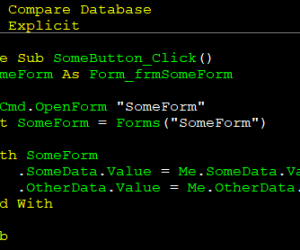
First we need to define what a state is. A state means that the object has variable(s) that may cause it to behave differently, depending on the content of the variables. As an example, the Forms collection is stateful:
|
1 |
Forms("SomeForm").Visible = False |
This is legal code and will compile but we can’t be assured that this will…
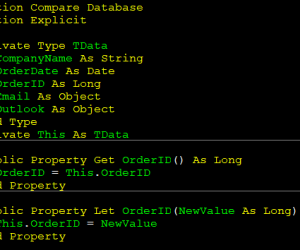
It is common to create a big wall of declaration in a module such as this:
|
1 2 3 4 5 |
Private strCompanyName As String Private dteOrderDate As Date Private lngOrderID As Long Private objEmail As Object Private objOutlook As Object |
While the code will compile and work fine, the discoverability and naming of the module level variables does become difficult and unwieldy. To help cut down on this ambiguity, it is recommended to create a private user-defined type…
A common programming mistake is to hard-code literals that corresponds to some property. That is particularly true with certain controls like tab controls & pages. The tab control exposes a Value property that indicates the current tab and the pages contains a PageIndex property that indicates its position in the tabs of the control. Thus,…
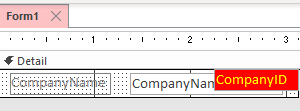
Sometimes we need to use fields from a RecordSource that aren’t shown on the form. It is legal to reference them directly even if they don’t have a control. For example, we can have a form bound to a RecordSource like so:
|
1 2 3 4 |
SELECT c.CompanyID, c.CompanyName FROM Companies; |
And only display CompanyName in a textbox but not show the CompanyID….
How do I convert an Access UPDATE query to SQL Server? Access SQL UPDATE Cars INNER JOIN UpdateList ON Cars.Parts = UpdateList.Parts SET Cars.Price = [Updatelist].[price] SQL Server UPDATE Cars SET Cars.Price = [Updatelist].[price] FROM Cars INNER JOIN UpdateList ON Cars.Parts = UpdateList.Parts
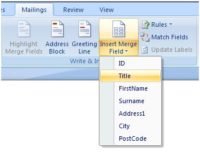
Suppose you have an Access Database containing the names and addresses of your customers. Every now and again you may want or need to send a standard letter to each customer who has opted in to such mailings. However, you are aware that these letters are going to look so much better, and work so…