Fixes or workarounds for recent issues in Access

Access crashes and slow performance Error: “Automatic configuration of the current version of Microsoft Access has failed.” occurs when you try to start Microsoft Access after updating to Version 1802 [FIXED] ISSUE You may get the following error when start Access after updating to Monthly Channel Version 1802 (Build 9029.2167 or higher): “Automatic configuration of…


Truthy and Falsy Values

“Truthy” and “Falsy” Values

VBA is quite very loose in what it deems “truthy” and “falsy”. For example, this procedure can produce surprising result: If Me.MyBitField.Value = True Then ‘It is true Else ‘It is false End If At the first glance, it seems expected that if the bit field is set to 1, it would succeed. But in…

drag and drop in Access

Drag & Drop and Conditional Sorting in Microsoft Access

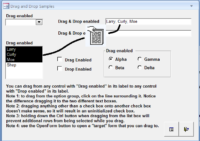
Drag and Drop In MS Access Doug was on a roll in January of 2004 when he wrote his article on drag and drop in MS Access. He tested it now using Access 2016 and it still works. This article shows you how to add drag-and-drop to your Access application using combinations of multi-value and…

Access UPDATE query to SQL Server

How do I convert an Access UPDATE query to SQL Server? Access SQL UPDATE Cars INNER JOIN UpdateList ON Cars.Parts = UpdateList.Parts SET Cars.Price = [Updatelist].[price] SQL Server UPDATE Cars SET Cars.Price = [Updatelist].[price] FROM Cars INNER JOIN UpdateList ON Cars.Parts = UpdateList.Parts

Designing a lookup table with logic

It is very common for us to embed some kind of logic based on a lookup table or in some cases, a column of a table. Because we have application logic connected to it, the code are fragile and subject to changes as the requirements develops. We want to avoid this situation where we might…

IS NULL: Understanding and Using the Null Value in Microsoft Access

In Microsoft Access, a null value is a value that is not assigned or unknown. When working with databases, it’s important to understand how to use and identify null values in order to ensure accurate and efficient data management. The IS NULL operator is one of the most useful tools for working with null values…

new table

Creating a Make Table Query

Before we create the Make Table Query, you might like to create a new blank database file. This is so we have a separate database into which we can paste the new table from the query. In this exercise I have called it HistoricData.accdb. Here is the procedure to create a Make Table Query: Open…

Microsoft Access File Extensions

Microsoft Access saves information under the following file formats: File Format Extension Access Project (2007, 2010) .adp Access Blank Project Template (2007, 2010) .adn Access Database (2007, 2010, 2013, 2016) .accdb Access Record-Locking Information (2007, 2010, 2013, 2016) laccdb Access Web App Reference .accdw Access Signed Packages .accdc Access Database, used for Add-ins .accda Access…

Use controls, not fields

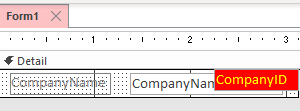
Sometimes we need to use fields from a RecordSource that aren’t shown on the form. It is legal to reference them directly even if they don’t have a control. For example, we can have a form bound to a RecordSource like so: SELECT c.CompanyID, c.CompanyName FROM Companies; And only display CompanyName in a textbox but…